Key takeaways
- 1Your system has four parts: the aluminum track with sealed LED points, a 12V low-voltage power supply, a Wi-Fi controller, and the app on your phone.
- 2Nothing on the roofline ever needs to be touched. Every change happens in the app or from the controller's power switch.
- 3Set a dusk-to-dawn schedule on night one and the lights will look after themselves all year.
- 4Keep the outlet the system is plugged into free. Unplugging it to run a leaf blower is the single most common reason lights 'stop working'.
- 5Your installation date is your warranty start date. Keep your invoice; it is all we need for any service call.
What was installed on your home
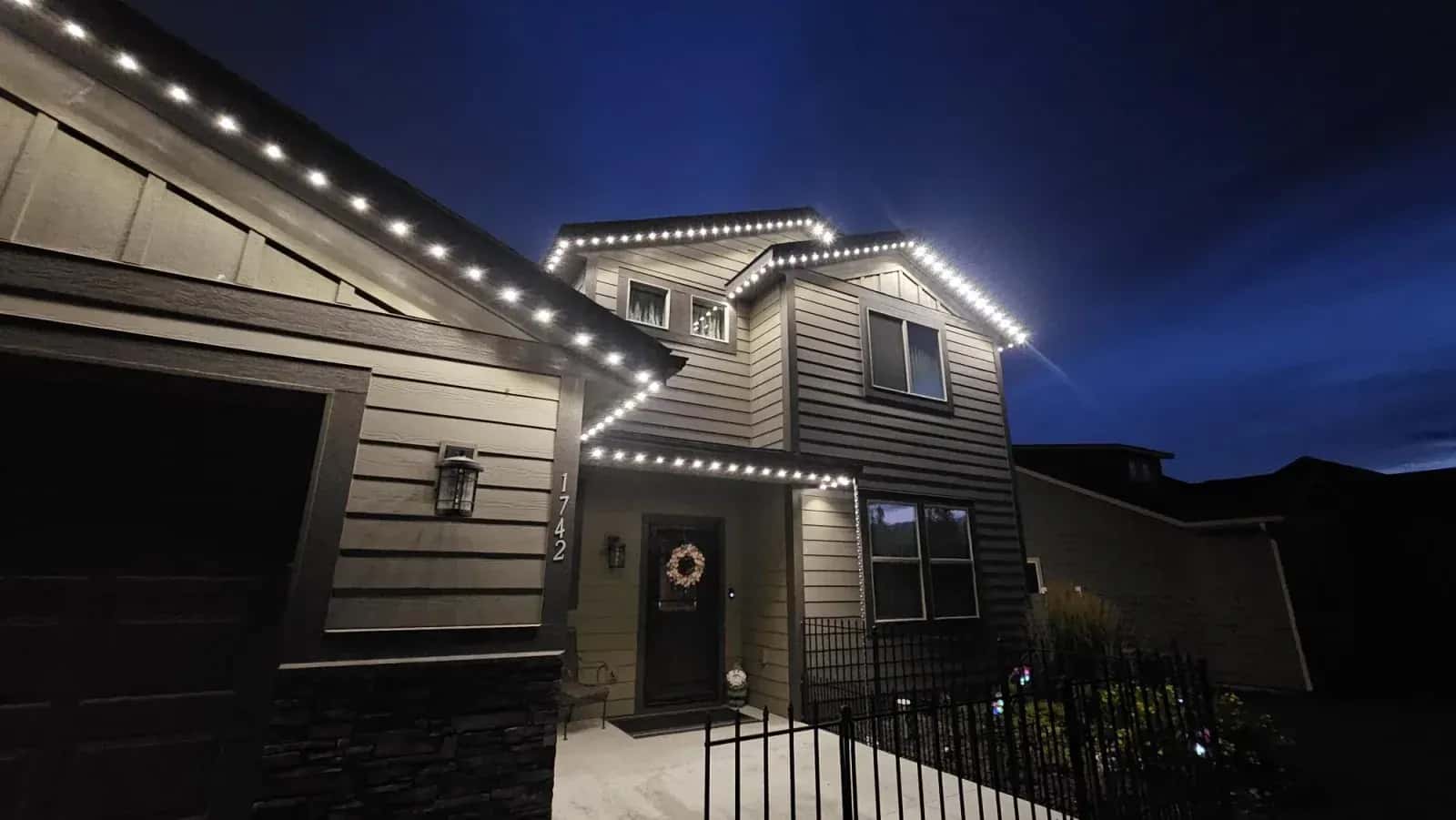
During your installation our crew mounted a slim aluminum channel along the soffit, fascia or roofline you agreed on at the site visit. Inside that channel sit the individually addressable LED points, spaced evenly and angled to throw an even line of light down the face of your home. The channel is colour-matched to your trim, which is why you barely see it in daylight.
The track is wired back to two small boxes, usually mounted in the garage, on a sheltered exterior wall or in the soffit near your outlet: a low-voltage power supply (the transformer) and the Wi-Fi controller. The power supply plugs into a standard GFCI-protected outdoor or garage receptacle. No permit was needed because nothing was hard-wired into your panel.
| Part | Where it is | What it does |
|---|---|---|
| LED track | Along the soffit / roofline | Holds the sealed LED points. Rated IP67 and to -40°C. Never needs maintenance. |
| LED points | Inside the track, every few inches | Individually addressable RGB or RGBW diodes. Each draws about 0.3 W. |
| Power supply | Garage or sheltered wall, near the outlet | Converts household power to a safe 12V for the track. |
| Wi-Fi controller | Beside the power supply | Talks to your phone over Wi-Fi and tells every point what colour to be. |
| App | Your phone or tablet | Colours, scenes, brightness, effects and schedules. Works from anywhere with internet. |
Your handover: what the installer set up for you
Before we leave, the crew lead walks you through the system. If any of the items below were skipped, or you have since changed phones, call us and we will finish the setup remotely.
- The controller is connected to your home Wi-Fi and shows as online in the app.
- The app is installed on at least one phone and the controller is paired to it.
- Every zone (front, garage, peaks, back) lights up and is named sensibly.
- A warm-white everyday scene and at least one holiday scene are saved.
- You know where the power supply is plugged in and which breaker feeds that outlet.
Three things to do on night one
- 1
Pick your everyday look
Most owners choose a soft warm white (around 2700K to 3000K) at 40 to 60% brightness for every night. Save it as a scene so it is one tap away.
- 2
Set a dusk-to-dawn schedule
In the schedule section choose your everyday scene, turn on at sunset and off at a fixed time such as 11:30 PM (or at sunrise). The app tracks London's sunset time automatically, so you never touch it again.
- 3
Share access with the household
Add a second phone so a partner or the kids can change the display. Access lives in the app, so nobody needs to know the Wi-Fi password to switch to Halloween orange.
Power, breakers and the outlet
The whole system draws less than most kitchen appliances. A typical two-storey home in warm white uses about the same electricity as three or four LED bulbs. You can leave it on all night, every night, for a few dollars a month.
Because the power supply plugs into an ordinary outlet, it is easy to unplug by accident. If the lights ever go completely dark, check the plug and the GFCI reset button before you do anything else. GFCI outlets trip during storms and after power outages more often than people expect.
Who to call
For anything that is not answered in the app or in our troubleshooting guide, call the office at (519) 914-3404 or send us a message through the contact form on our website. Most questions are answered on the phone; many app and controller issues can be fixed remotely. Your installation date is your warranty start date, and your invoice is all we need to look up your system.
Frequently asked
Do I need to take the lights down or cover them in winter?
No. The track and LED points are sealed to IP67 and rated to -40°C. Snow, ice and freezing rain are all normal operating conditions. Nothing needs to come down, ever.
Can I paint my soffit or fascia later?
Yes. The track can be masked and painted with the trim, or removed and re-hung by our crew. Call us before the painter starts and we will advise on the best approach for your home.
What happens if I change my Wi-Fi network or password?
The controller will show as offline in the app. Re-pair it to the new network following the steps in our troubleshooting guide, or call us and we will walk you through it in a few minutes.
Does the system work without internet?
Yes. Saved schedules keep running on the controller even if your internet is down. You just cannot make changes from the app until the connection is back.